Blind Line & College Ave
Orangeville, Ontario

The full Wii softmod, start to finish: Wilbrand exploit → Homebrew Channel → BootMii NAND backup → Priiloader → cIOS → USB game loading.
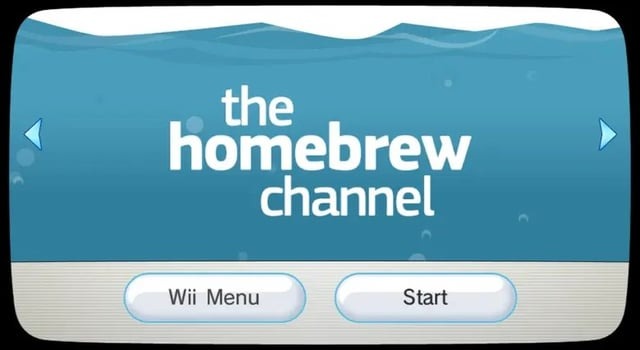
Complete Wii Modding Guide
Wilbrand → HBC → BootMii → Priiloader → cIOS → USB Loader
This guide walks you through the entire Wii softmod process step by step. It includes a full detailed guide plus a condensed cheat sheet for advanced users. It works on any Wii on System Menu 4.3 or lower (the Wilbrand exploit covers all regions).
Modding always carries some risk. Always back up your NAND before major changes, and keep nand.bin + keys.bin safe on both your PC and a USB/cloud copy. With a BootMii boot2 backup you can recover from almost any brick.
If the green bomb letter is missing: check ±1 day on the message board, verify the SD card is FAT32, make sure the card's lock switch is unlocked, or retry the exploit generation.
Only very early Wii consoles support BootMii as boot2 — this is the gold-standard, brick-proof install. If your Wii only offers "BootMii as IOS", that's normal for later consoles; Priiloader (Part 5) becomes your main brick protection.
Bad blocks are normal; BootMii verifies the backup automatically.
Open SD:/bootmii/bootmii.ini and set:
AUTOBOOT=SYSMENU
BOOTDELAY=1
Now the Wii boots directly into the System Menu.
SD:/apps/priiloader/.Run the d2x cIOS Installer and do the following installs:
| Slot | Base | cIOS | Revision |
|---|---|---|---|
| 248 | 38 | d2x-v11-beta3 | 65535 |
| 249 | 56 | d2x-v11-beta3 | 65535 |
| 250 | 57 | d2x-v11-beta3 | 65535 |
| 251 | 58 | d2x-v11-beta3 | 65535 |
Install each one separately (slot → base → version → install).
SD:/apps/yawmME/.SD:/wad/ (e.g. a USB Loader GX forwarder)./wbfs/.Use a rear USB port (the top one on a horizontally-placed Wii) for best loader compatibility. If a game won't boot, switch the loader's IOS between 249 and 250, and prefer USB drives over SD for larger libraries.
Wilbrand -> HBC -> BootMii -> NAND Backup -> Autoboot (boot2)
-> Priiloader -> cIOS -> YAWM -> USB/wad/.Special thanks to the Wii Hacks Guide team, the GBAtemp community, and the homebrew developers behind HackMii, Priiloader, d2x cIOS, and YAWM.
Wire-only R-JTAG install diagrams for phat Xbox 360 consoles — for installs without QSBs, including the diodes you'll need.
RGH2+ install on Slim Corona v1–v2 consoles with the CR4 XL — wiring, flashing and setup, with latest-dashboard support.
RGH2+ install on Slim Corona v3–v6 (Winbond RAM) consoles with the CR4 XL — wiring, flashing and setup, with latest-dashboard support.
R-JTAG+ install on phat Zephyr, Opus, Falcon and Jasper consoles with the CR4 XL — wiring, flashing and setup, with latest-dashboard support.

Sign up and get notification about new services, promotions and sales.
